The best (portable) monitor 250€ can buy - VChance SU13 Review
 Friday, 30 January 2026 - 14:30
Estimated reading time: 10 minutes
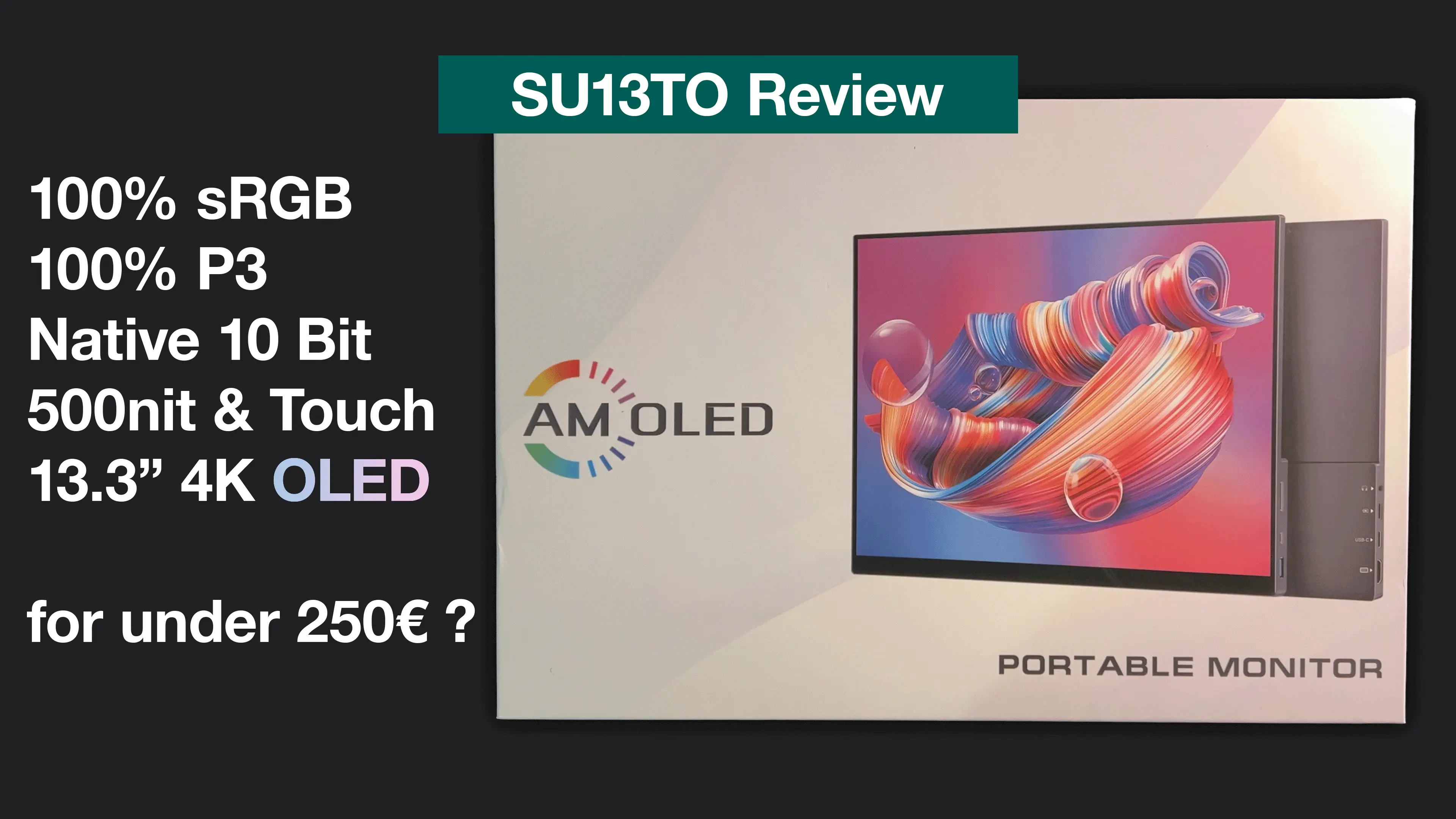
Today we have the VChance SU13 on our desk. Instead of a regular SBC review I also like to see what other hidden gems I can find in the tech world that are exciting from a technical standpoint but also interesting when looking at the price. So when I stumbled upon the VChance SU13 (here the SU13TO for the touch enabled variant) which advertises 100% P3, 4K resolution and a maximum brightness of 500 nits I was intrigued. Can this be used for colour accurate edge deployments? The specs sound too good to be true since usually we see claims like 95% P3 coverage but 100% + OLED + 4K – that I had to see in person and for the price of 250€ I was sold to give it a chance just like the company name suggests.
Unboxing & Overview#
But first let’s look what is inside the box. Included next to the monitor was a nice sleeve bag for transport, 1x HDMI cable, 1x USB-C DisplayPort enabled cable, 1x regular USB-C power cable and a 30W PowerDelivery USB-C charger.
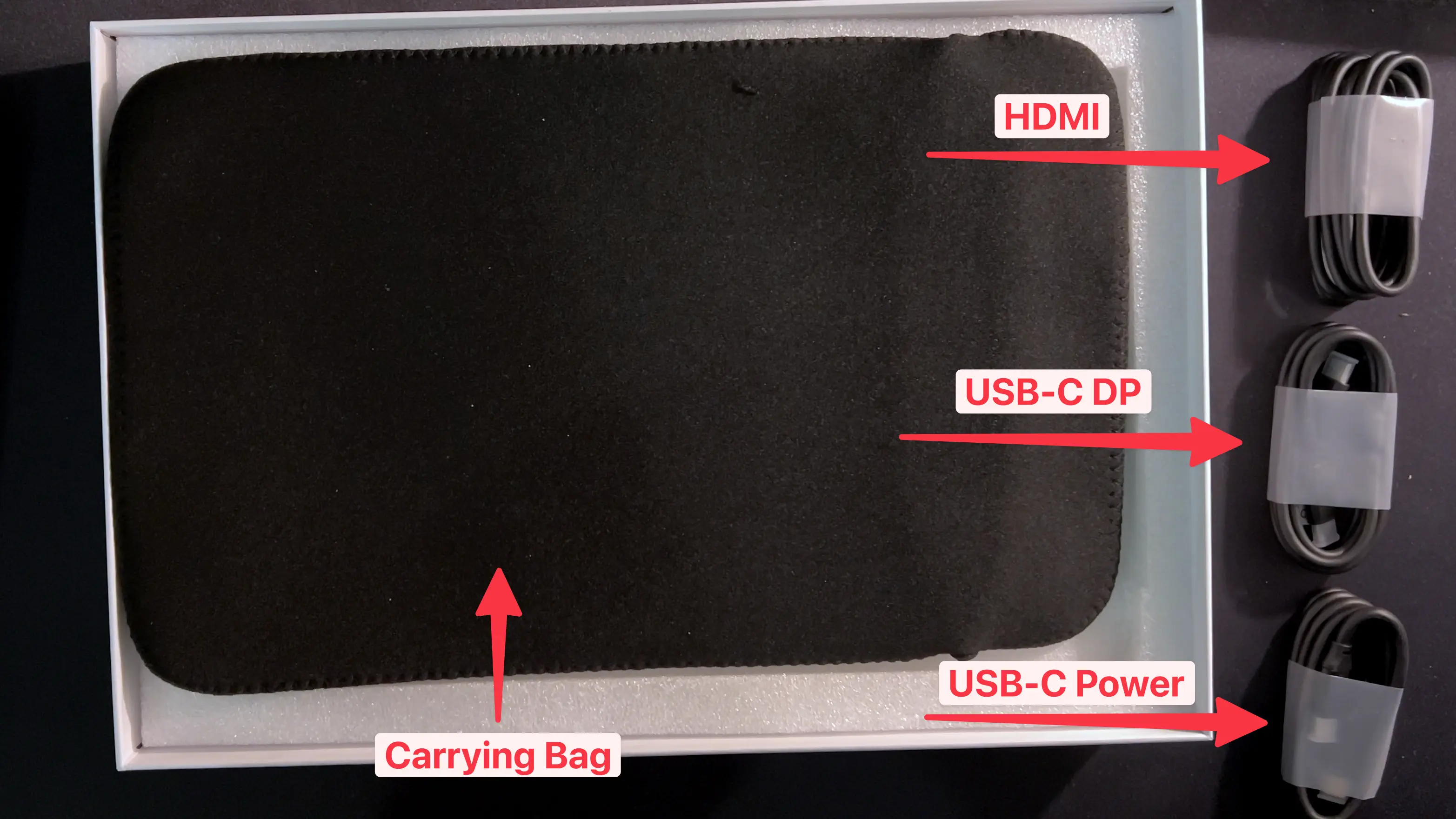 1x carrying bag, 1x HDMI cable, 1x USB-C DP cable, 1x regular USB-C power cable
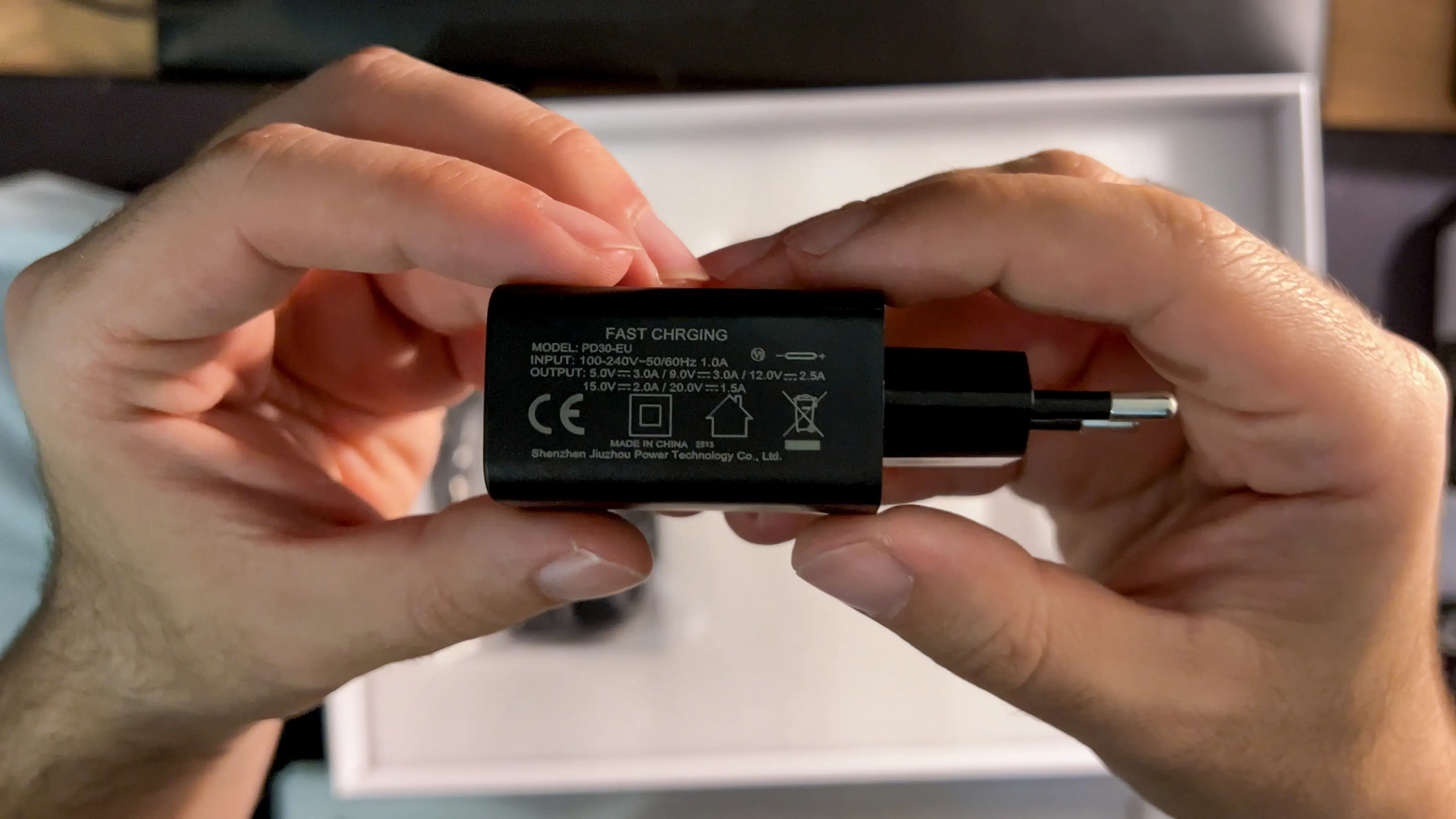 30W PD charger capable of: 5v3A, 9v3A, 12v2.5A, 15v2A, 20v1.5A
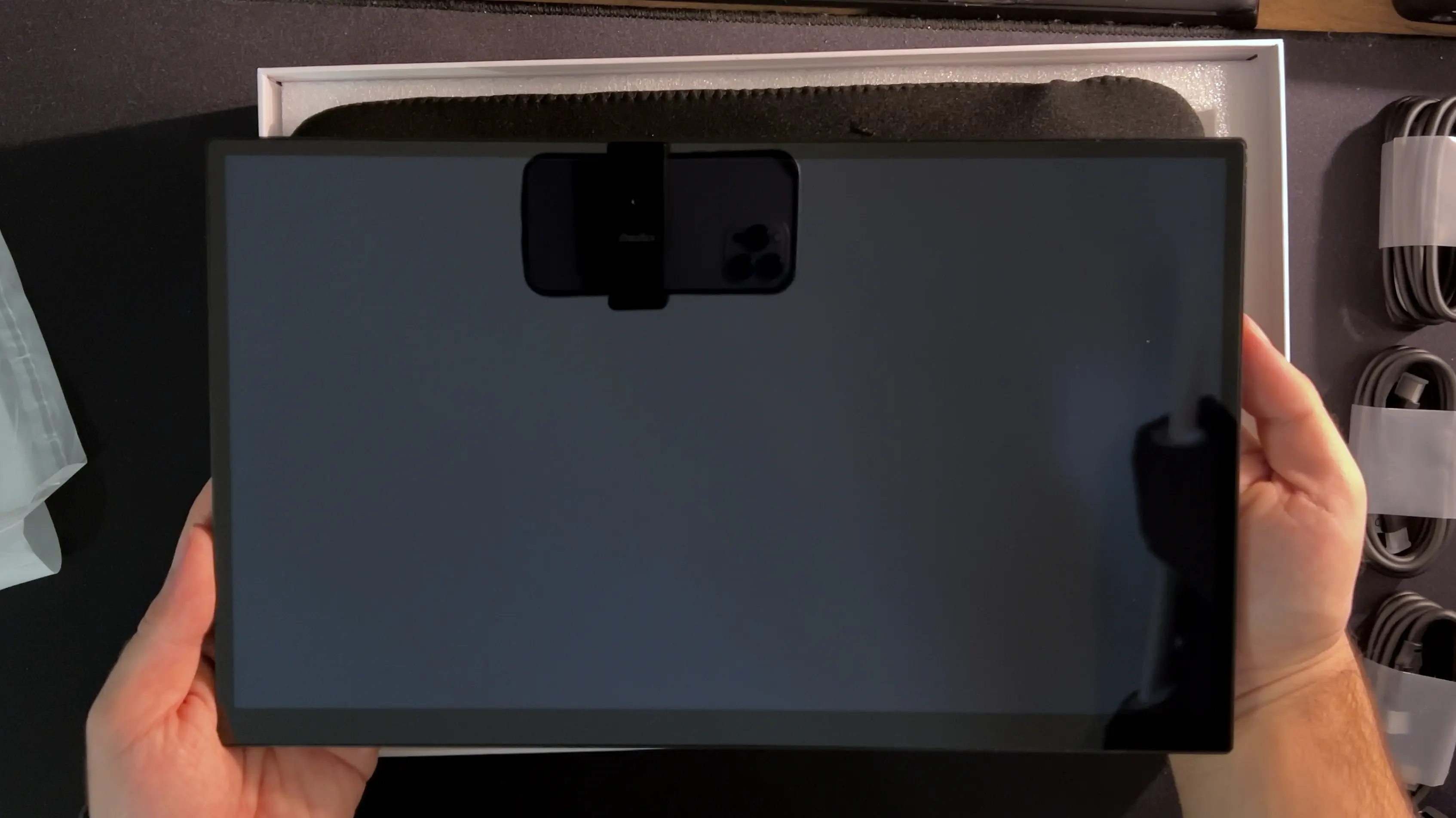 And of course, the 13.3" monitor itself which fortunately is free of the annoying purple tint that plagues many Samsung OLED panels.
On the left side we have a 3.5mm Audio Port, two USB-C Ports (the upper one is also capable of power pass-through to the lower one while both ports can power the monitor without a separate power supply if the client can provide enough power through its USB-C Port) as well as an HDMI Port. My 14" MacBook Pro can run this monitor without any additional power supply which makes it great for work on the go with just one cable needed. This monitor also has a small kickstand which doesn’t feel like it would break off at any point but I would have liked it to extend the whole back width like on a Microsoft Surface tablet for even more stability.
But what I really like about the build quality is that it’s completely made out of metal so it feels premium to the touch.
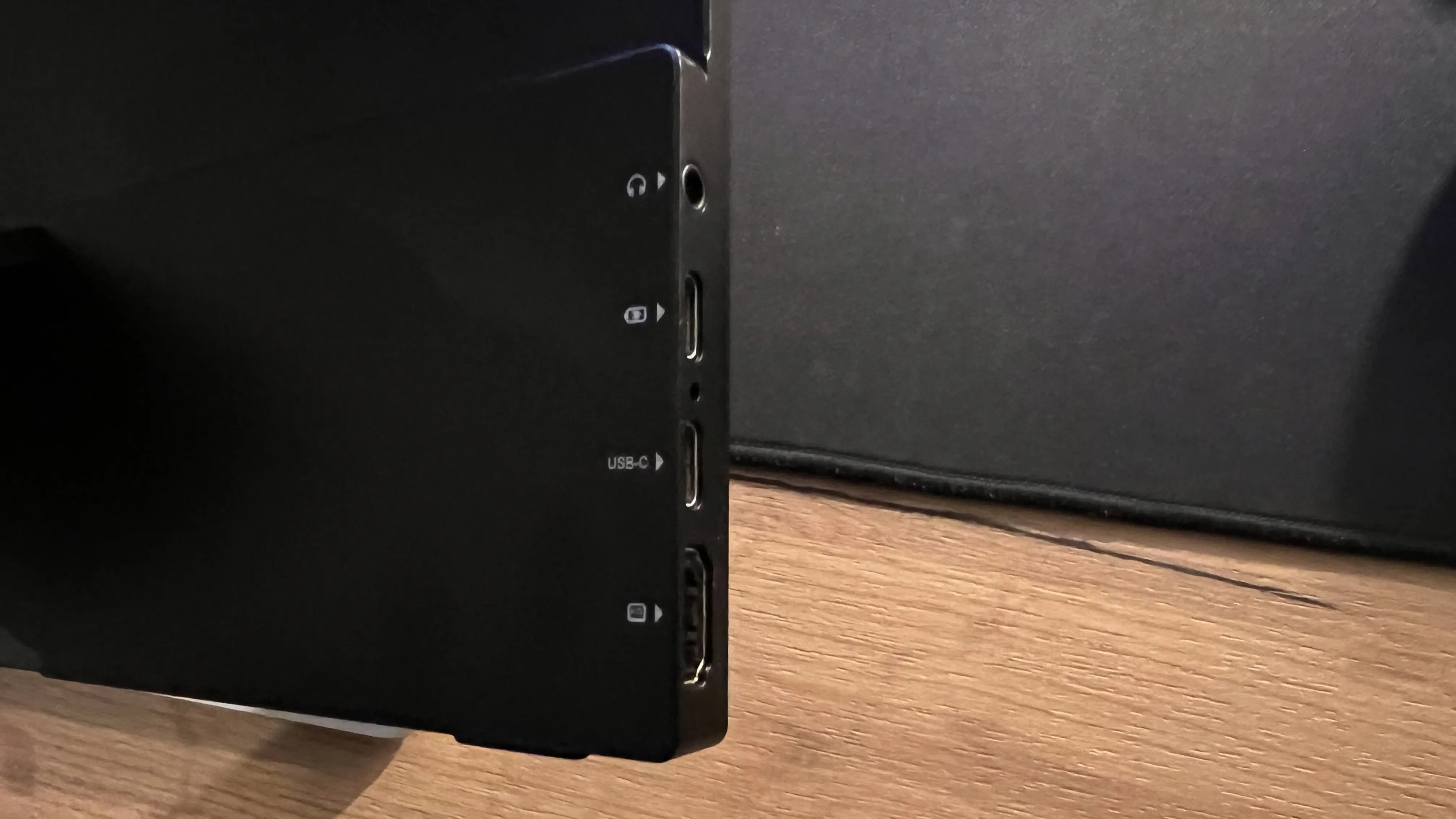 Left side: 3.5mm Audio Port, 2x USB-C, HDMI
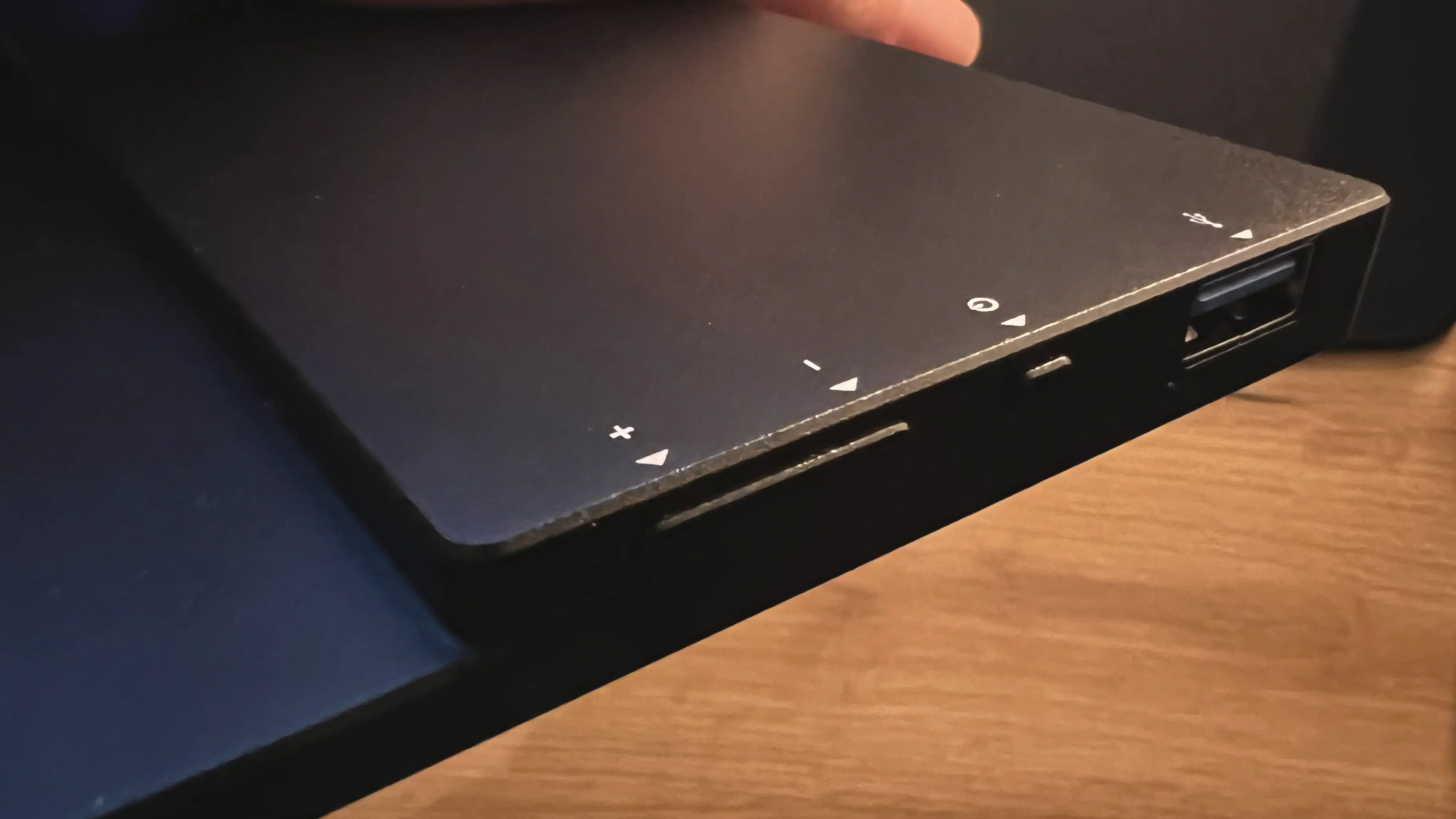 Right side: Buttons for brightness and volume control, Power Button, USB-A Port
What makes it unique#
is that VChance claims they’re using Samsung A+ level OLED panels that are supposed to have a measured DeltaE of 2 or less and to my surprise that is not just true but we were able to measure an average DeltaE of just 1.4. For reference a monitor with an average DeltaE of less than 3 is considered colour accurate. This is the first time I’m seeing a monitor measure this well. Another surprising feature is that this monitor can also act as a Nintendo Switch 1 dock if you ever wanted to upgrade your gaming experience on the go. Sadly this did not work with the Nintendo Switch 2 but you also have to keep in mind that this monitor released before the Switch 2 came out. But while you sure can game on a 4K OLED, this monitor is capped at 60hz so a lower resolution + higher refresh rate option might be the better choice if that is what you are looking for.
Testing procedure#
But now let’s get to testing. For this we used the Calibrite Display Plus HL colorimeter that is capable of measuring up to 10 thousand nits and supports many screen panel types including OLED which is what we need here today.
The testing software was Calibrite Profiler which did the job but also if anyone has a suggestion how we can improve this process please comment below so we can take a look into improving this procedure as the software is plagued by bugs and crashes.
Our goal here is to figure out which of the profiles and settings in the on screen menu lead to the most accurate colour representation. Therefore we measured and calibrated at all the presets (sRGB, P3, BT2020 as well as the HDR mode) at 250 nits (this value is subjective but ended up being the brightness I settled on for my use with this monitor).
Before we start we do have to keep in mind one quite bad quirk of this monitor which can be worked around. The EDID colour attributes of this monitor report wrong values which are of the sRGB colour space no matter the profile selected.
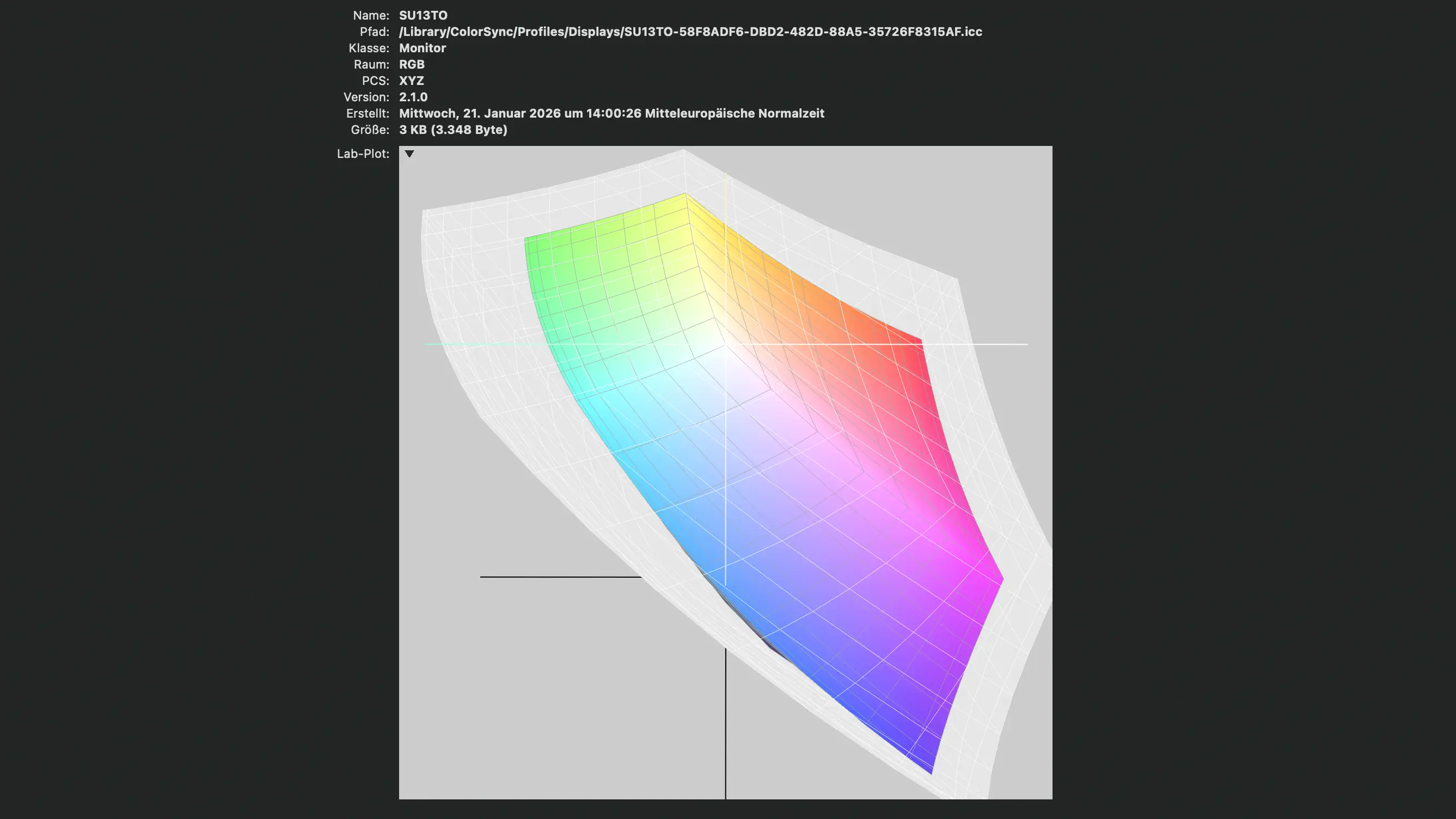 EDID reporting only sRGB colour attributes while the monitor is capable of 100% P3 (grey is the measured space)
The good thing is as long as you select a wide gamut profile manually it will display those colors. We confirmed it with this handy website: wide-gamut.com/test as well as the resulting colour spectrum view. Since we did our own measurements that profile is what we’re going to use going forward.
Measurements#
Screen Uniformity Test#
Passed ✅
First we looked at the screen brightness uniformity test and at our target brightness of 250 nits the max deviation from the centre was 4% or 10 nits which was not noticeable by the naked eye. At lower brightness levels the deviation became so close that it could just as well be the non laboratory testing setting than anything else.
“sRGB” Profile (default & overall best)#
Monitor Settings:
- Colour temp setting: sRGB
- Brightness level 67 = 253 nits (selected for test)
- Max Brightness check 100 = 390 nits
–
Calibrite Profiler Settings:
- Preset Mode: Photo (testing with Video Presets lead to inconsistent results)
✅ P3 coverage test and wide-gamut website test passed
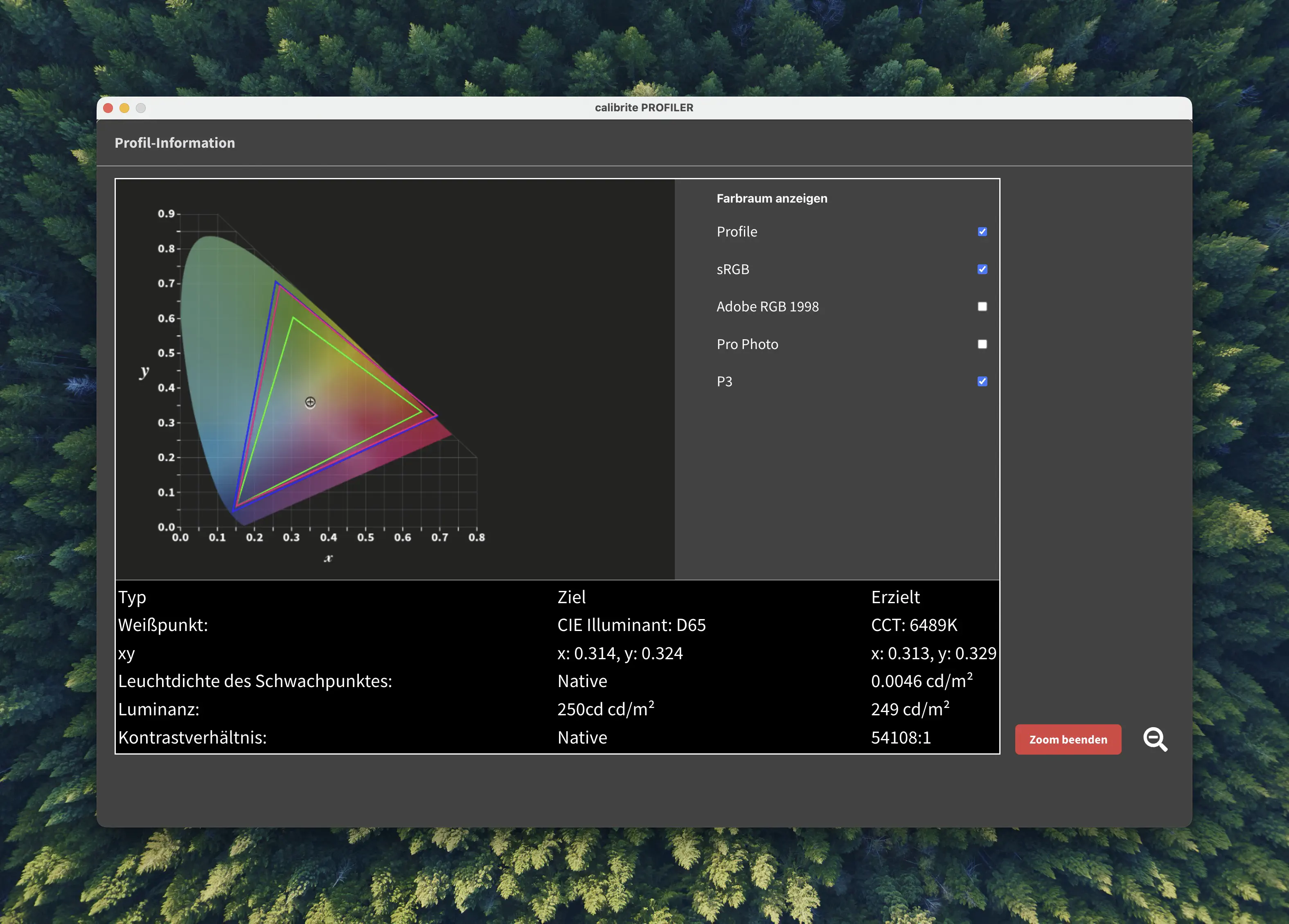 Colour Space: Blue - measured, Red - P3 Reference, Green - sRGB Reference
Colour Profile Analysis
SU13TO_Photo-sRGB.icc • ColorChecker Classic
ΔE Performance Results
P3 Profile#
Monitor Settings:
- Colour temp setting: sRGB
- Brightness 62 = 253 nits
- Max Brightness check 100 = 414 nits
✅ P3 test and wide-gamut test passed
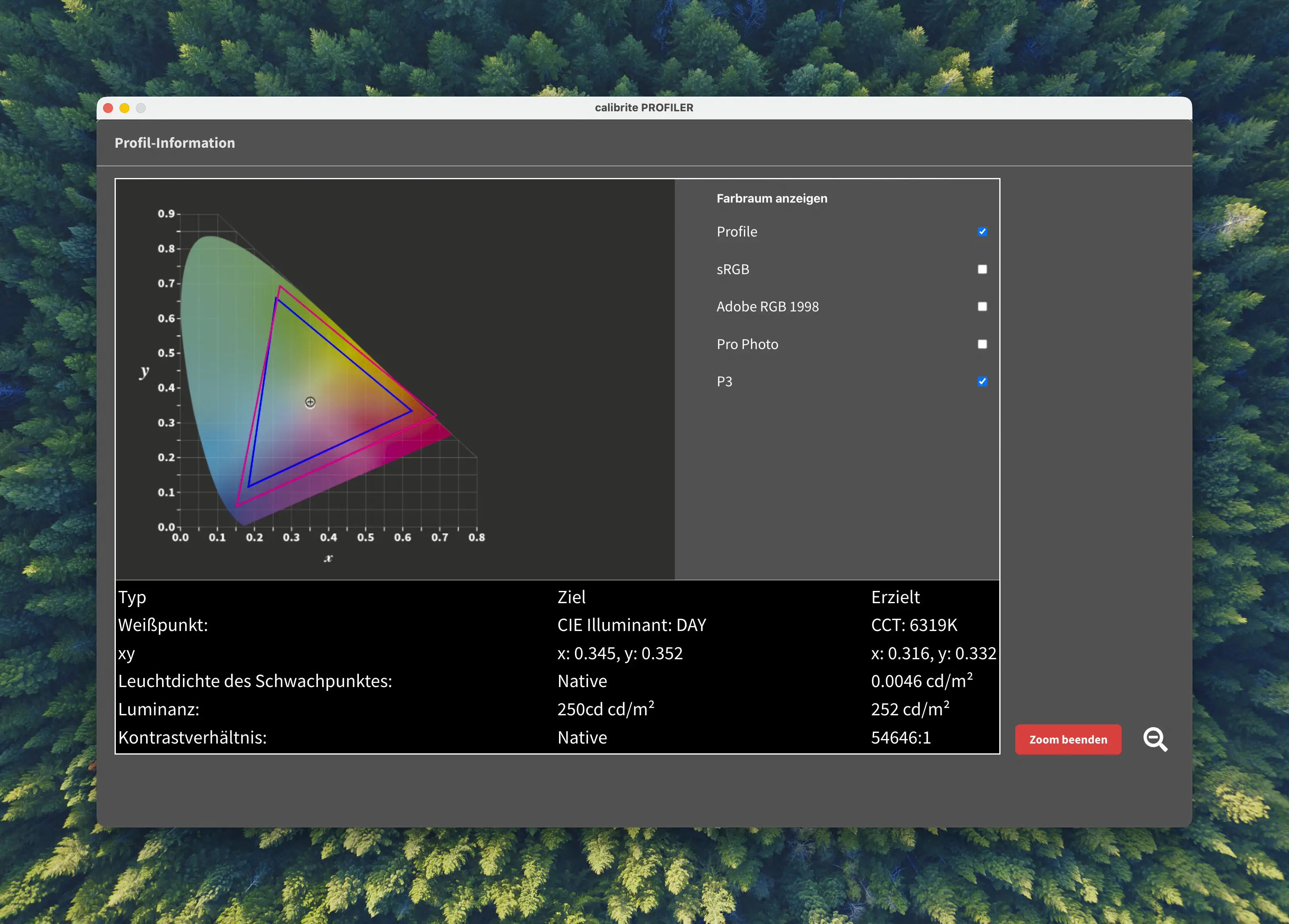 Colour Space: Blue - measured, Red - P3 Reference
Colour Profile Analysis
SU13TO_DCl-P3.icc • ColorChecker Classic
ΔE Performance Results
- P3 @ 6500K colour temp
Colour Profile Analysis
SU13TO_DCl-P3-6500k.icc • ColorChecker Classic
ΔE Performance Results
Rec2020 - BT2020 Profile#
Colour temp setting: 6500K
Brightness level 94 = 250 nits
❌ P3 test and wide-gamut test failed
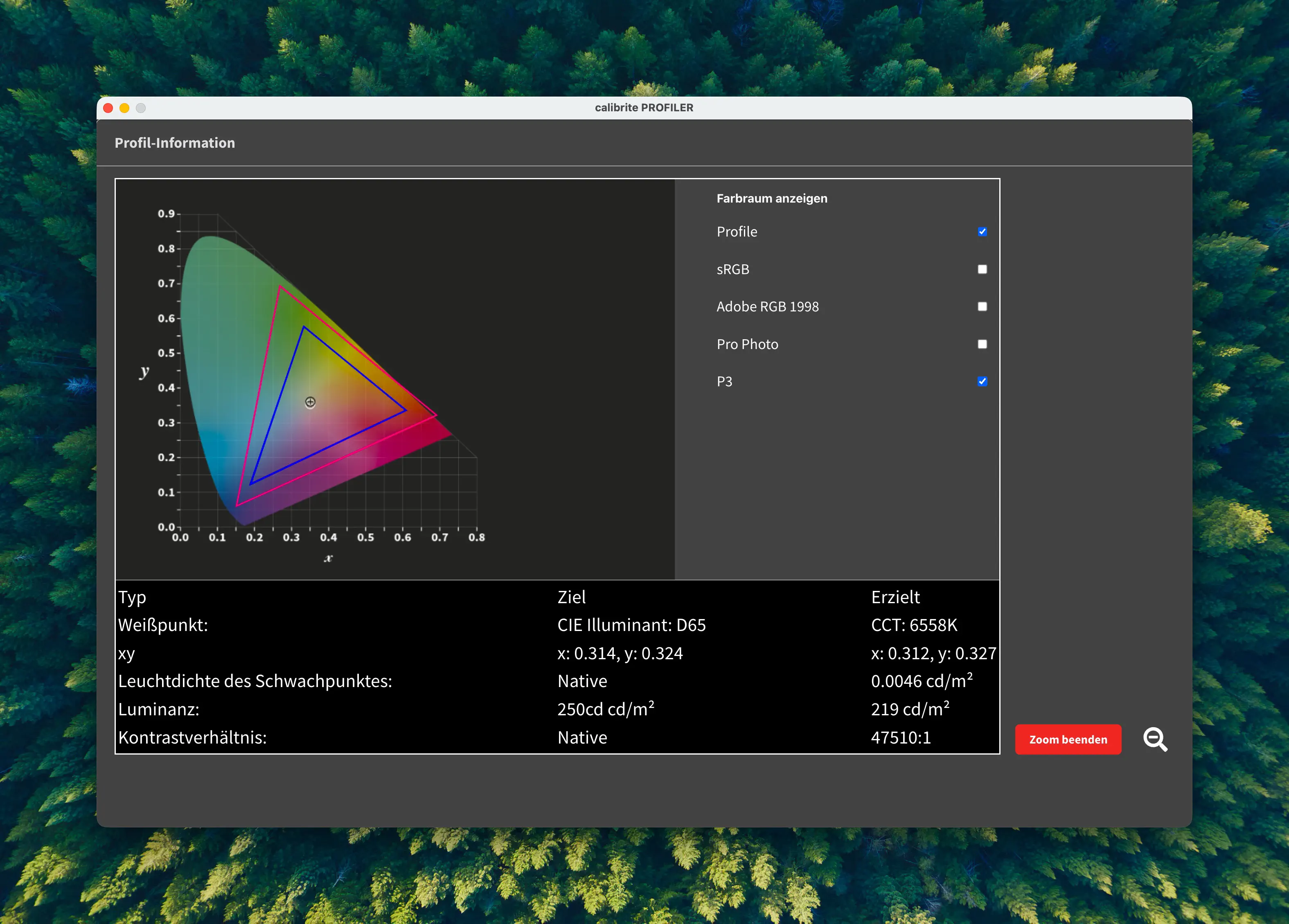 Colour Space: Blue - measured, Red - P3 Reference
Colour Profile Analysis
SU13TO_BT2020-6500k.icc • ColorChecker Classic
ΔE Performance Results
HDR#
✅ P3 test and wide-gamut test passed
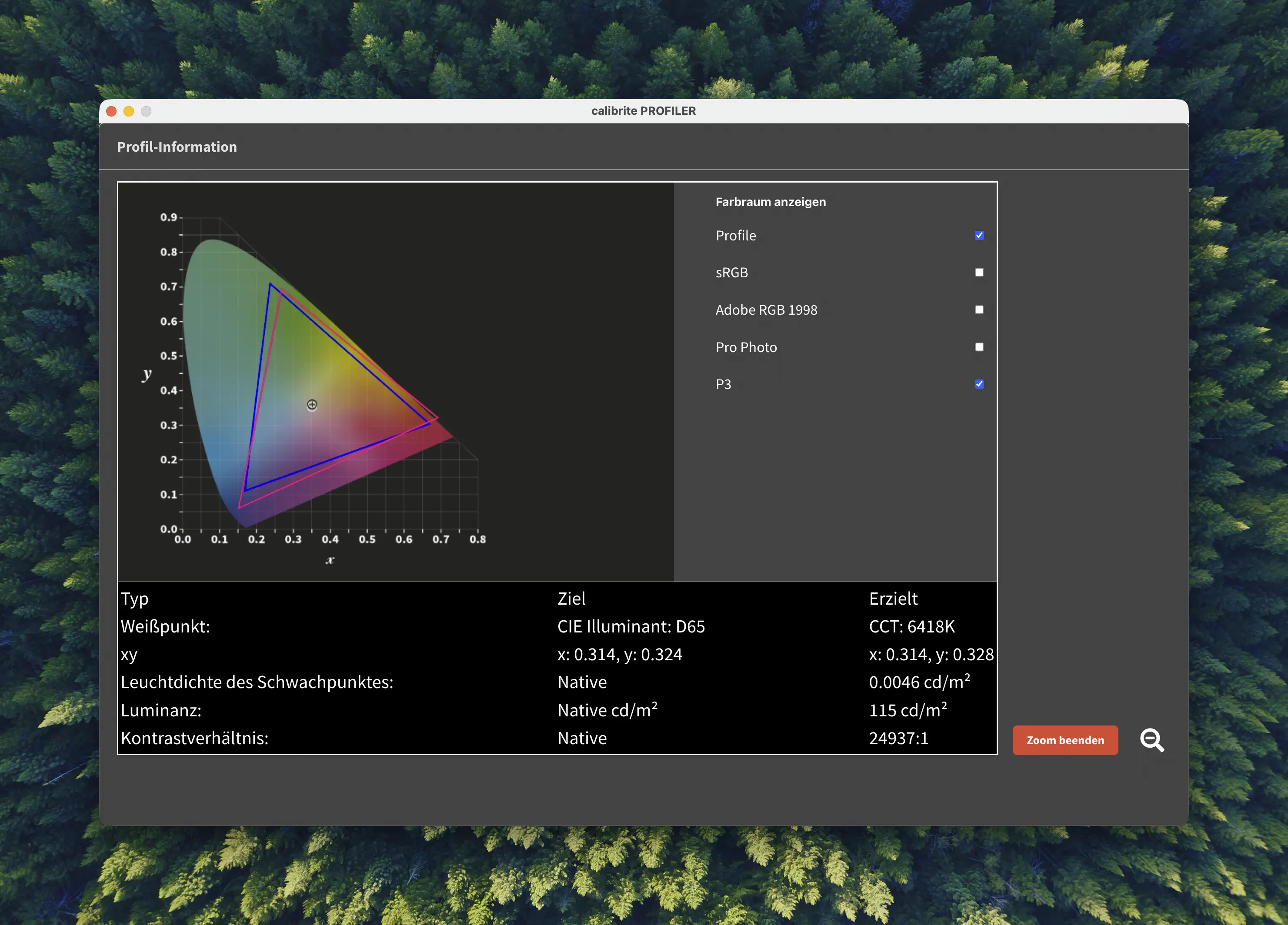 Colour Space: Blue - measured, Red - P3 Reference
Please keep in mind below due to software limitations we were not able to measure the HDR profile with the ICtCp formula (DeltaE ITP) but only with the regular CIEDE2000 formula which would not be the right way to measure High Dynamic Range modes.
Colour Profile Analysis
SU13TO_HDR.icc • ColorChecker Classic
ΔE Performance Results
Measurement Results#
After testing all integrated profiles we have got a clear winner and it’s not the P3 profile. Using the default sRGB preset the monitor showed the widest gamut coverage exceeding P3 in all directions and was able to confirm the manufacturers’ specifications about colour accuracy.
When it comes to brightness – that was more difficult to measure since the software did not use a complete black background and was not able to set the size of the white circle displayed. I do think the claimed 550 nits peak brightness are realistic since just going in and out of the small OSD made a ~10-15 nits difference. We were able to measure up to 414 nits on a SDR Desktop session at max brightness.
HDR related tidbits#
Of course I was also interested in seeing how it tracks the HDR PQ brightness curve and how it handles brightness levels above 550 nits. To make it short this monitor uses a hard clip so if the meta data is pushing the brightness in those parts of the image it will be “blown out” which would be the correct way of handling it accurately instead of having a roll off.
Linux experience#
With a GNOME Wayland session via HDMI connected to a NVIDIA GT1030 I was able to confirm all features to work just like they did on MacOS including HDR.
Conclusion & Where can I buy this?#
There is a flood of portable monitors on the market with some claiming the craziest specs from >1000 nits brightness levels to high refresh rates. Looking for a preview monitor for SDR Video Editing as well as Lightroom Photo Editing this one met my requirements of high resolution and colour accuracy. I think you are getting your money’s worth here if a 13.3" display can suit your workflow. Sometimes I do wish of having a bigger screen to preview images while editing but this monitor also gives me a realistic estimate of images in the size I’d print them or for content consumption. And throughout this you have to keep in mind the price, 250€. The closest regular sized OLED monitor with similar specs starts at around 600€ so you are getting lots of professional workflow for more than 50% off and that is a trade-off I’m more than willing to take.
If you are interested in purchasing this monitor yourself you can use my Affiliate Link to the AliExpress product page of the SU13/SU13TO. Purchases made through this link directly support this project without adding additional cost to you.
Bonus: ICC Profile Downloads#
- SU13 best profile with default settings: SU13TO_Photo-SRGB.icc
- SU13 HDR profile: SU13TO_HDR.icc
Don’t forget to subscribe to our RSS feed and follow us on X/Twitter to always stay up to date!
Author: Mecid Urganci
I'm a full time Applied Cognitive and Media science student who in his free time loves to tinker. This sparked an interest in embedded hardware, which I try to make more accessible with this platform I created "SBCwiki".You can find me on X/Twitter at @mecoscorner and GitHub at @HeyMeco